


In short
3CX CRM integration links the 3CX phone system to CRMs and helpdesks such as Salesforce, HubSpot, Microsoft Dynamics 365, Zoho and Zendesk. It looks up callers, logs calls and chats on contact records, creates contacts and adds click to call, on the PRO and AI editions. Forever Systems, a 3CX Partner, can quote and set it up.
Get a quote for 3CX CRM integration
Tell us roughly how many users or sites you have and we will come back to you with options and a quote.
What 3CX CRM integration does
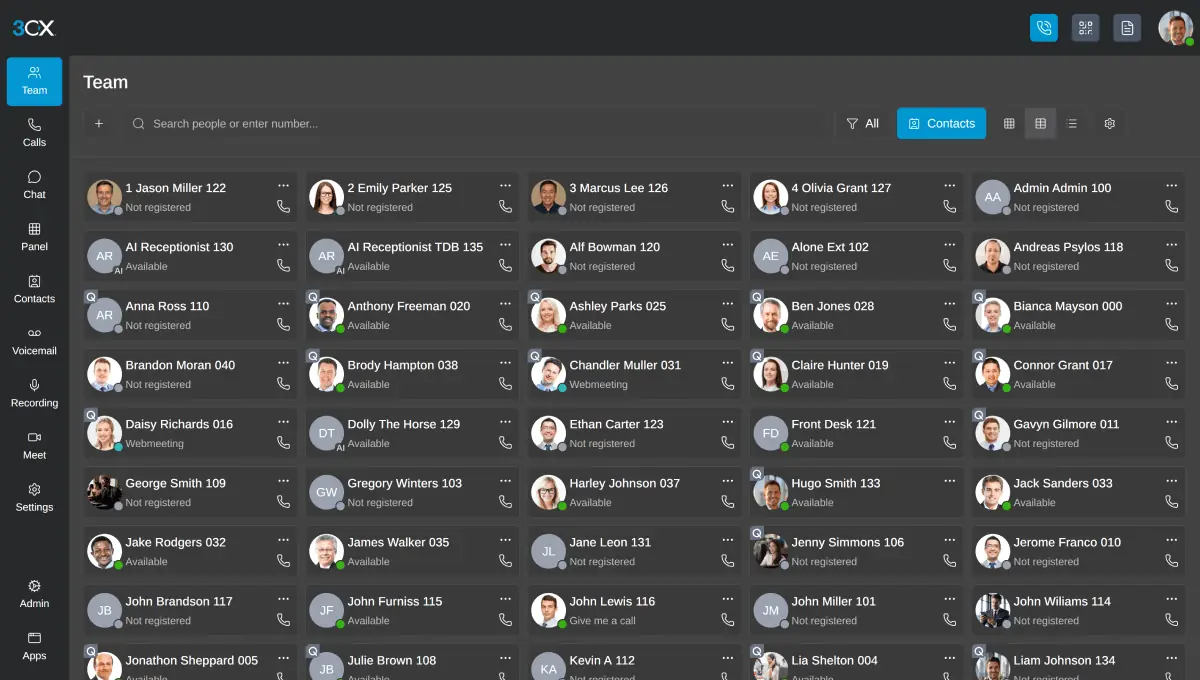
- Caller ID to contact name. An inbound call triggers a lookup in the CRM, and the caller's name appears in the 3CX app with a link to the record.
- Call and chat logging. Calls and chats are logged on the contact record, so the history is in one place.
- Contact creation. When a call comes from a number the CRM does not know, the user can create a contact from the 3CX client.
- Click to call. Staff can dial a number shown in the CRM straight through 3CX.
The integration is configured once in the 3CX admin console instead of being installed on each PC. For the general idea, see VoIP CRM integration.
Which CRMs 3CX supports
3CX's CRM integration guides (opens in a new tab) split integrations into two groups.
| Group | Listed by 3CX | Who maintains it |
|---|---|---|
| Developed and maintained by 3CX | Salesforce, Microsoft Dynamics 365, Zoho, Zendesk, Freshdesk, Pipedrive, Odoo, Bitrix24, ConnectWise, Vtiger, Kommo and Jetpack CRM, plus SQL and MongoDB databases | 3CX, which updates them when the CRM changes |
| Vendor supported | HubSpot, Freshsales, Freshworks, Nutshell and 1C CRM | 3CX or a third party built them; support comes from the vendor |
Source (checked 11 November 2026): 3CX's page "Integrate 3CX with your CRM". The list changes, so we check it when we plan your project.
Not sure which option fits? Ask us
Tell us what you need and we will recommend the right option for your organisation, with a quote.
Edition requirements
| Feature | 3CX edition |
|---|---|
| CRM integration (lookup, logging, contact creation, click to call) | PRO and AI |
| Call Flow Designer, for call flows that can use external data | PRO and AI |
| Power BI and Grafana reporting and data connectors | PRO and AI, 16 SC and above |
| Call API for developers | AI |
| Call transcription and summaries | AI |
See 3CX editions for the full comparison.
Live chat, WhatsApp and messaging
3CX's feature list also includes website live chat, SMS, and WhatsApp and Facebook integration, so messages from customers arrive in the same app as calls and can be answered by the same team. WhatsApp and Facebook messaging are on SMB Free, PRO and AI. Chats are logged to the CRM record in the same way as calls where the CRM integration is in use.
Is 3CX CRM integration the right fit for you?
We will check it against your systems and requirements and recommend the right option.
CRMs that are not on the list
If your CRM, helpdesk or line-of-business system is not listed, 3CX can still integrate with it where it has a REST API. 3CX provides a CRM integration wizard that builds a template describing how 3CX should look up a contact by number or email and, optionally, how to create contacts and log calls. We can scope, build and test that template for you.
Getting it right in practice
- Number format matters. Store numbers in international format, +44 followed by the number, so lookups match.
- Decide what to log: all calls, answered calls only, or chats too.
- Mind your data. Call logs and transcriptions attached to records are personal data under UK GDPR, so agree retention and access.
- Check your CRM plan. Some CRMs allow API access only on certain plans.
We set up 3CX CRM integration as part of a new system or on an existing one.
Try 3CX free
If 3CX is new to your organisation, a free trial of 3CX PRO lets your team see the system before the CRM integration is planned. Try 3CX free (opens in a new tab) through our 3CX Partner link; 3CX free for business explains the options.
We can set it up with you and support your move to a paid edition when you are ready: contact us.
How Forever Systems helps with a VoIP phone system
We supply, host, set up and support 3CX phone systems. Forever Systems is a 3CX Partner.
- 3CX sized for you: the edition and the number of simultaneous calls matched to how your team takes calls
- Hosting and set-up: 3CX hosted for you, with call flows, users, queues and voicemail configured
- A requirements check of your broadband, network and router settings before anything goes live
- Numbers and porting: we can help you keep your existing business numbers and plan the move away from analogue and ISDN lines
- Changes afterwards: help with moves, adds and changes as your team grows
3CX works with the 3CX apps and with Yealink and Poly desk phones. We work with businesses, schools, charities and public sector organisations.
Frequently asked questions
Which CRMs does 3CX integrate with?
3CX lists integrations for Salesforce, Microsoft Dynamics 365, HubSpot, Zoho, Zendesk, Freshdesk, Pipedrive, Odoo, Bitrix24, ConnectWise, Vtiger and others, plus SQL and MongoDB databases. Some are maintained by 3CX and some are vendor supported.
Is CRM integration included in 3CX Basic?
No. According to 3CX's feature list, CRM integration is included in the PRO and AI editions, not in Basic or SMB Free.
Does 3CX work with HubSpot?
Yes. 3CX lists HubSpot among its vendor-supported integrations, covering caller lookup, call logging, contact creation and click to call.
Does 3CX have a WhatsApp integration?
Yes. 3CX's feature list includes WhatsApp integration on SMB Free, PRO and AI, with messages answered in the same app as calls.
Does 3CX work with Power BI?
3CX's feature list shows Grafana and Power BI reporting among the features reserved for systems of 16 simultaneous calls and above.
Can 3CX integrate with a CRM that is not listed?
Yes, if the CRM has a REST API. 3CX's CRM integration wizard creates a template for contact lookup, contact creation and call and chat logging, which is uploaded to the 3CX admin console.
Still have a question about 3CX CRM integration?
Ask us and a member of our team will get back to you.